

A Faster Platform, a Rebuilt Booking Engine, and More Ways to Grow Revenue This summer, OpenHotel...
A hotel’s booking engine is more than the final step in a reservation.
It is where guests compare rooms, review rates, evaluate offers, and decide whether they feel confident completing their booking directly with the property.
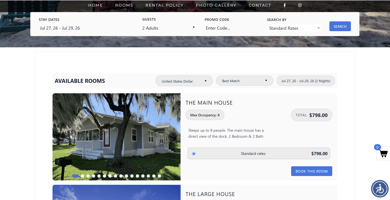
OpenHotel is preparing to introduce the New Booking Engine version, an updated experience designed to make the direct-booking journey more modern, intuitive, and flexible for guests while giving properties more control over how their rooms, rates, packages, and promotions are presented.
The new version is currently in its second beta phase and is planned for a global rollout during the first week of August 2026. All OpenHotel properties will transition to the updated experience at the same time.
A more modern experience for guests
The first thing guests will notice is a cleaner, more modern interface.
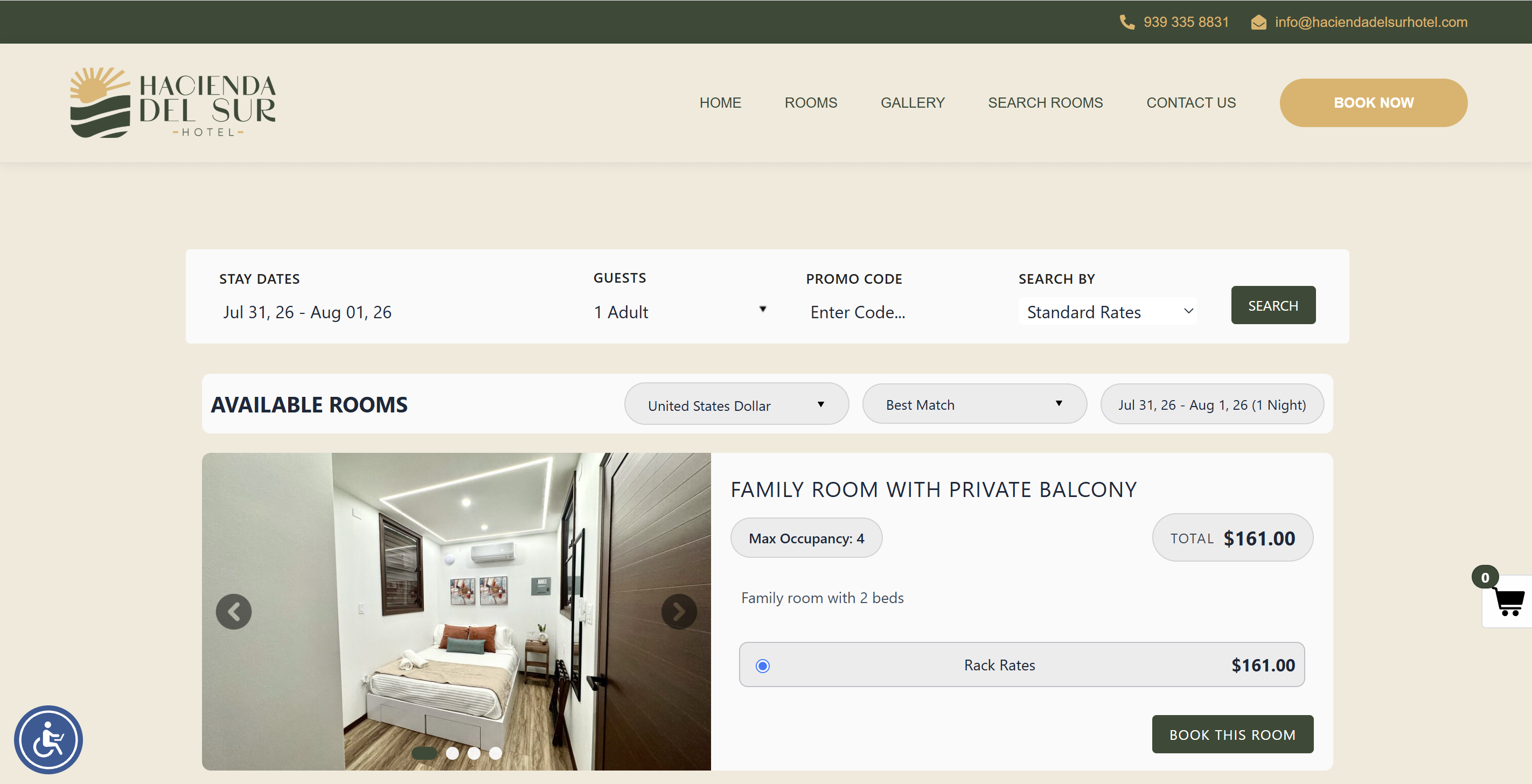
The updated design makes it easier to move through the reservation process, compare available rooms, understand rate options, and review booking details before checkout.
The goal is simple: help guests move from interest to reservation with less confusion and greater confidence.
The updated experience includes:
- A refreshed and more modern visual design
- Clearer room and rate presentation
- Improved organization of booking options
- A more intuitive reservation flow
- A new shopping cart experience
A new shopping cart for a more flexible booking journey
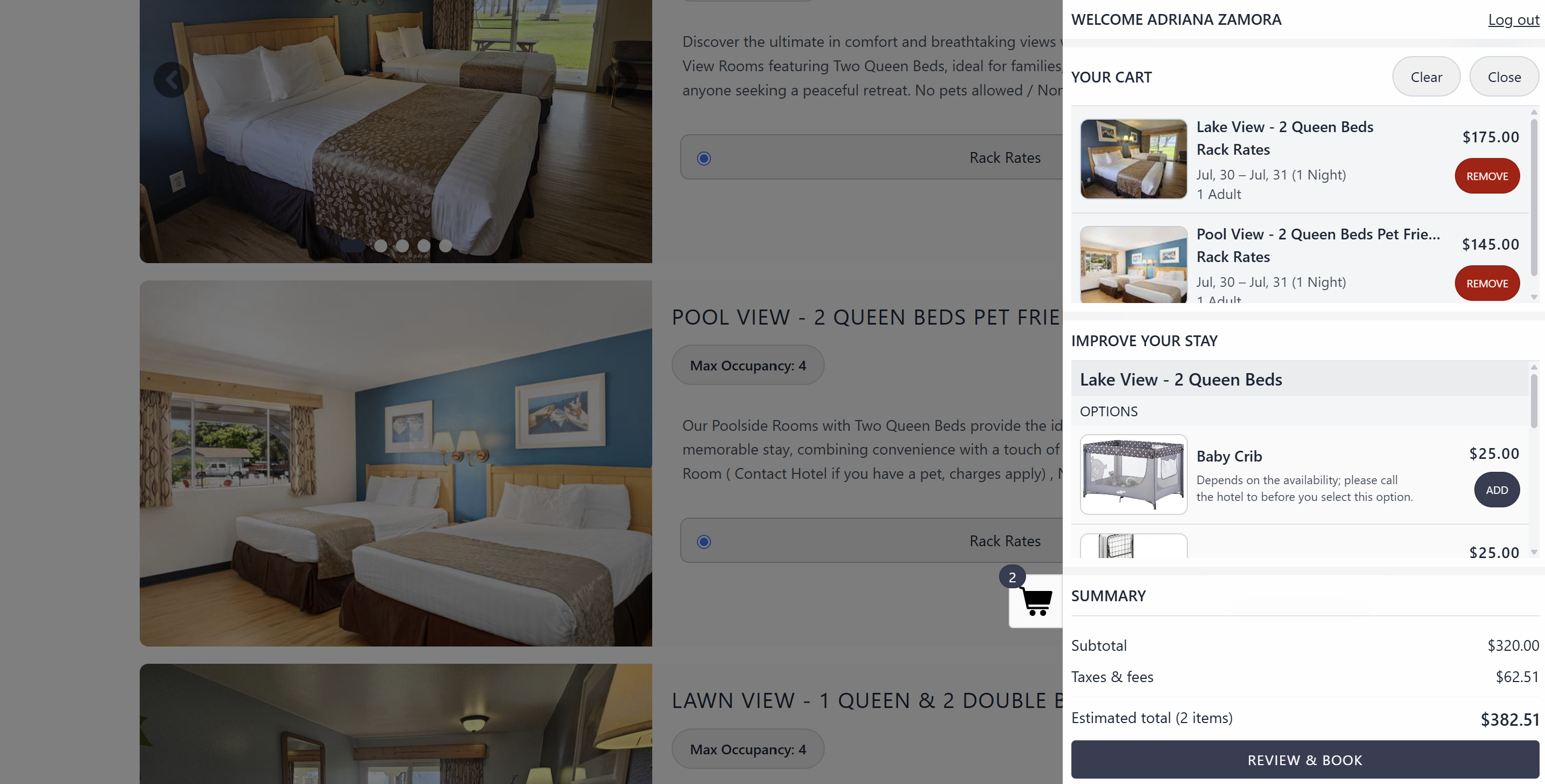
One of the most important improvements is the new shopping cart.
Guests will be able to add rooms to their reservation, review the selected room types, and see the estimated reservation total before moving to checkout.
The shopping cart also supports the addition of room options and extras, giving properties more opportunities to present relevant upgrades and add-ons during the booking journey.
This creates a more complete shopping experience and helps guests better understand what they are purchasing before confirming their stay.
Multi-room reservations with different room types
The New Booking Engine version will allow guests to reserve multiple rooms while selecting different room types within the same booking process.
This is especially useful for:
- Families traveling together
- Wedding and event guests
- Small groups
- Multi-generational travelers
- Guests booking rooms with different occupancy needs
Rather than completing separate reservations, guests can build a more complete stay within one booking journey.
Clearer presentation of rooms and rates
The updated reservation page gives guests a more modern way to review available rooms, occupancy information, descriptions, images, and rate options.
Properties will also have more flexibility in how information is displayed.
This can help guests:
- Compare room types
- Understand occupancy limits
- Review available rates
- See relevant offers
- Make a more informed booking decision
A clearer presentation can reduce uncertainty and help guests feel more confident moving forward.
More control over room options
Properties will gain additional controls for organizing and presenting room options.
Room option descriptions can include pictures, helping properties communicate the value of extras more clearly.
Examples may include:
- Pet fees
- Breakfast packages
- Parking
- Early arrival options
- Room upgrades
- Welcome amenities
- Resort activities
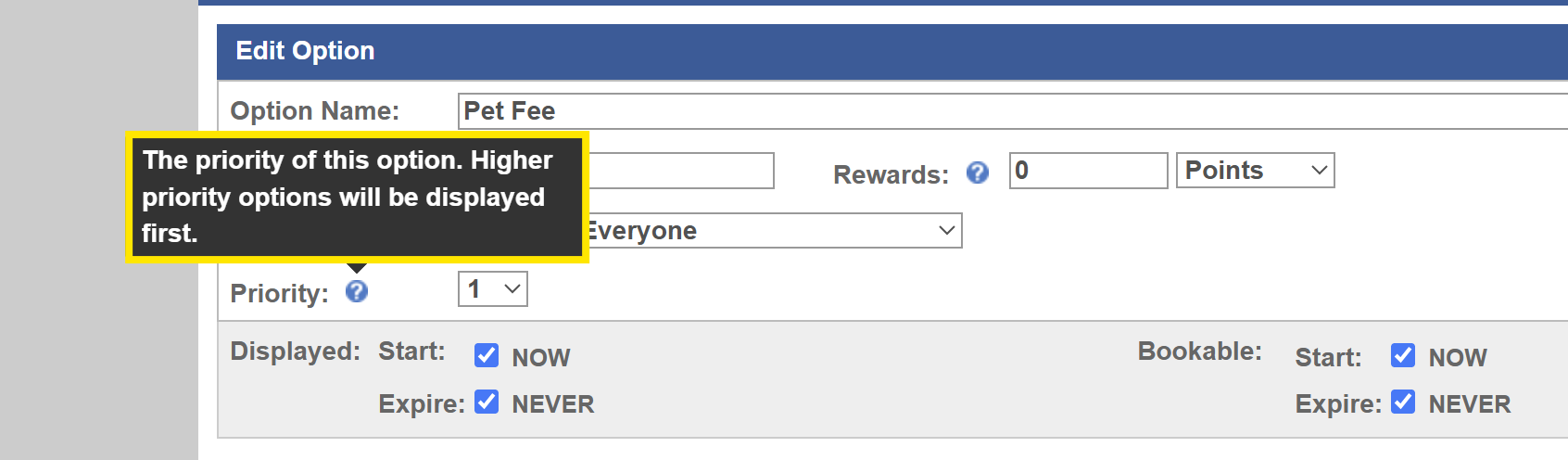
Properties can also assign a priority to room options so the most important or relevant choices appear first on the booking engine.
This gives properties more control over the order in which guests see available enhancements.
More flexible discounts and promotions
The New Booking Engine version introduces additional settings for discounts and promotions.
Priority settings
Properties can assign a priority to discounts and promotions, helping determine the order in which they are presented to guests.
This is useful when several offers are available simultaneously, and the property wants to feature a specific promotion more prominently.
Hide rack rate
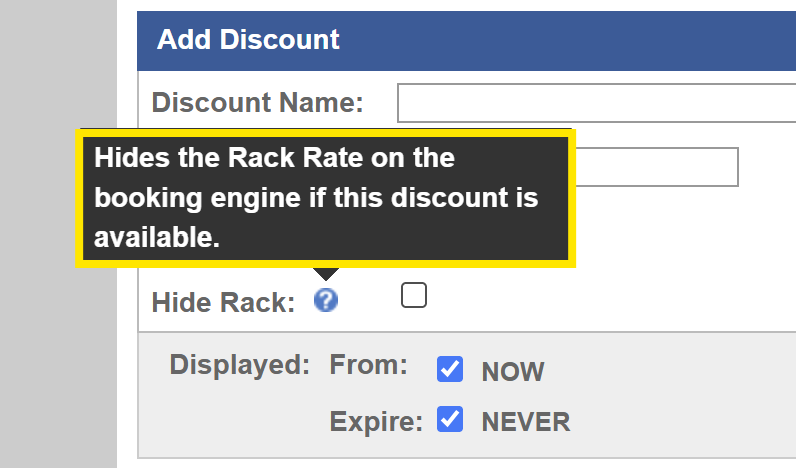
The new Hide Rack setting allows properties to hide the standard rack rate when an eligible discount is available.
This can create a cleaner presentation and keep the guest focused on the offer that applies to their stay.
More control over packages
Packages will include minimum- and maximum-stay restrictions.
This gives properties greater control over when a package can be booked and how long a guest must stay to qualify.
For example, a property could create:
- A two-night romantic package
- A three-night holiday offer
- A five-night extended-stay package
- A weekend-only experience
These settings help properties build packages that better match their operational needs and revenue strategy.

Better support for all-inclusive properties
The updated tools also include occupancy restrictions for all-inclusive room options and rates.
Properties can define eligibility based on:
- Adults
- Children
- Minimum occupancy
- Maximum occupancy
For all-inclusive scenarios, qualifying options can be applied according to the configured occupancy rules.
This gives properties more flexibility when building offers that depend on the number and type of guests included in the reservation.

A simpler calendar and occupancy selection experience
Properties and staff will also see improvements to the reservation setup experience.
The updated tools include:
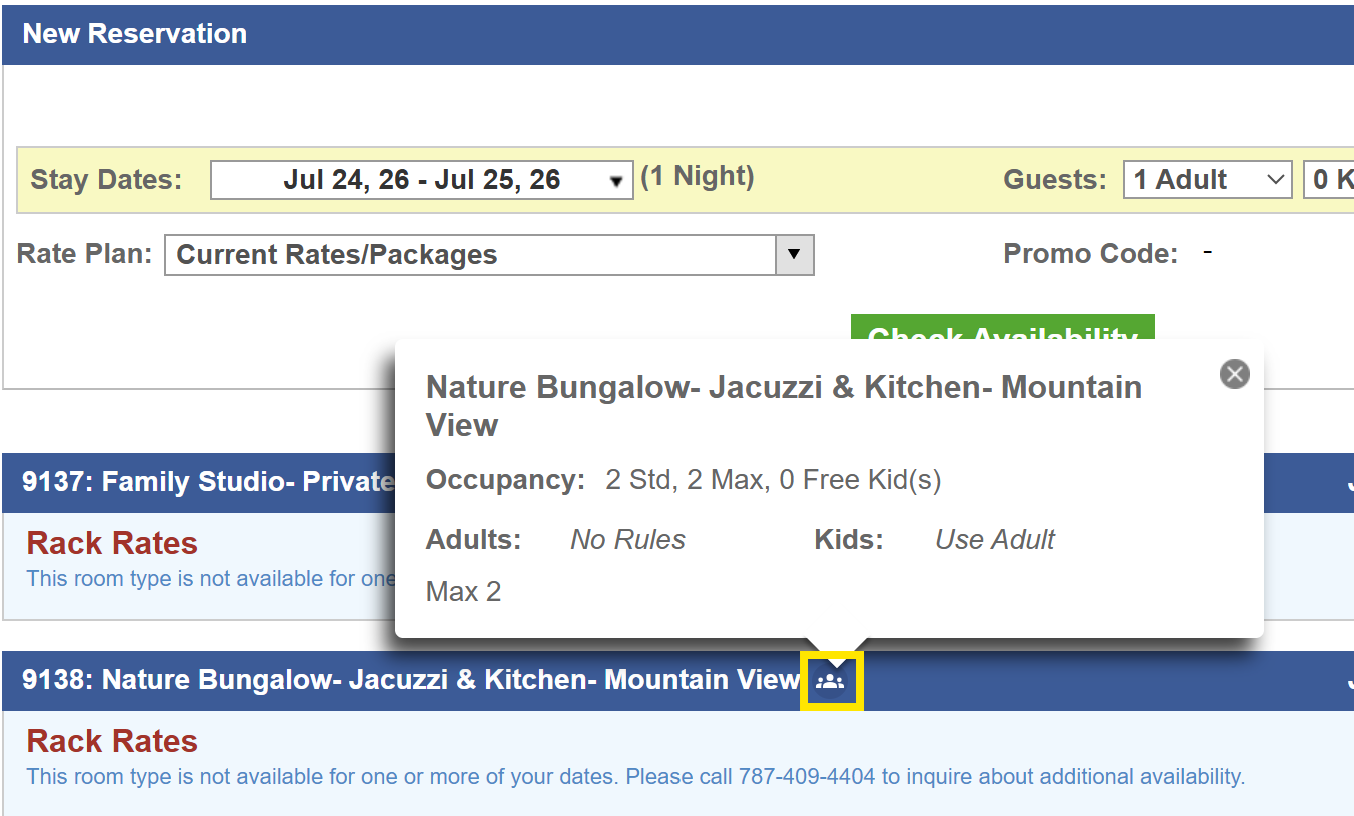
- A new occupancy box
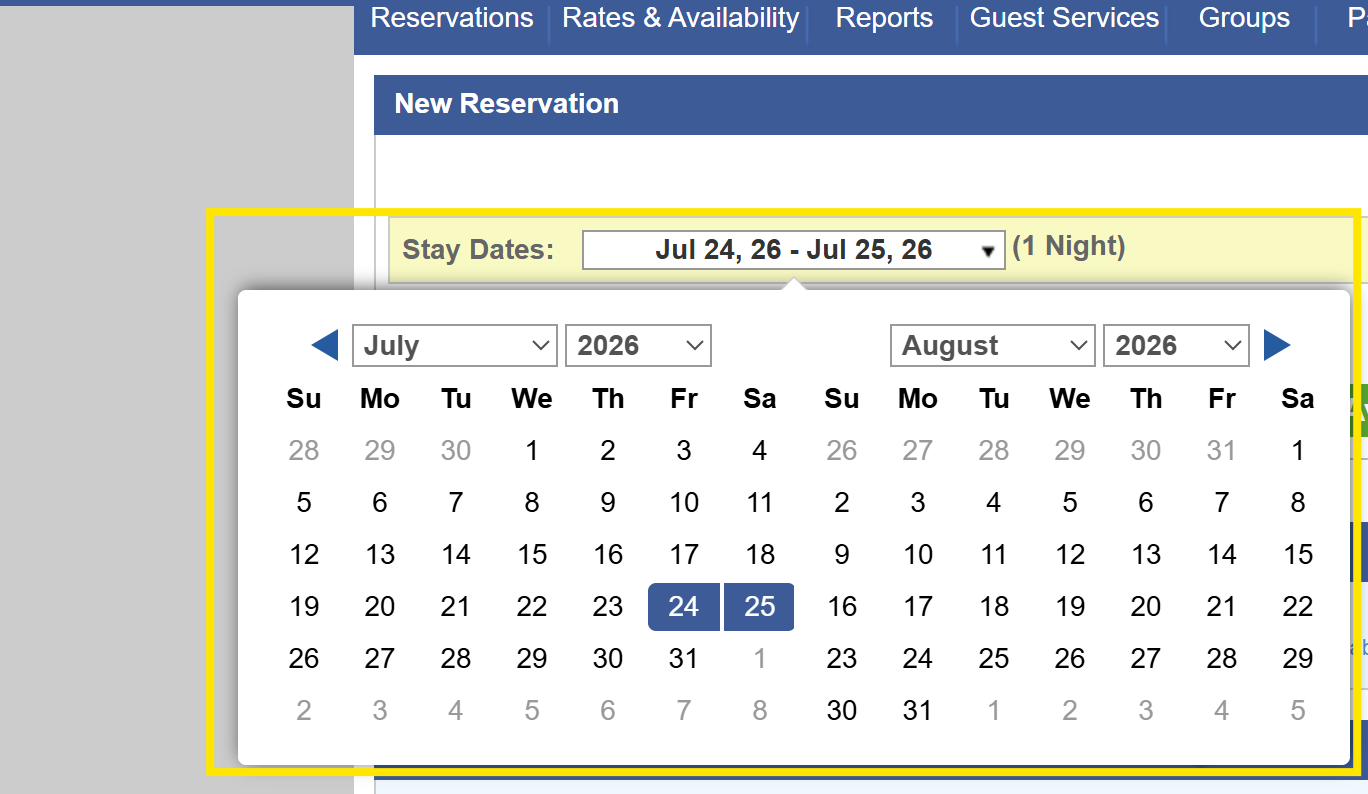
- One calendar for check-in and check-out selection
- Improved reservation modification sections
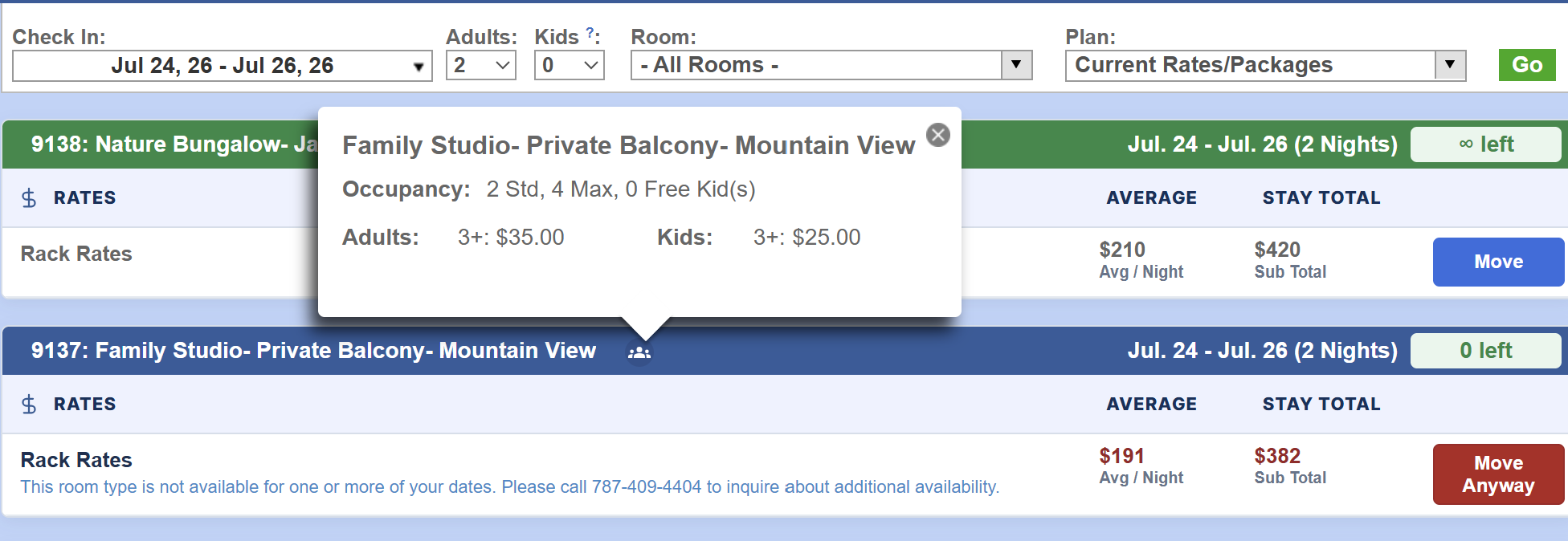
These changes are designed to make reservation details easier to review and manage.
Enhanced Google Hotel free listings connectivity
The New Booking Engine version also includes enhanced connectivity with Google Hotel free listings.
This supports OpenHotel’s continued work to strengthen the connection between hotel discovery and the direct-booking experience.
Availability through Google remains subject to property eligibility, account status, Google requirements, and technical availability.
More flexibility for different property types
Independent hotels do not all operate in the same way.
A boutique hotel, vacation rental, resort, casino property, and all-inclusive operation may each need different booking rules, packages, offers, and occupancy settings.
The New Booking Engine version introduces more configuration options to help support a broader range of operational scenarios without losing the connected OpenHotel experience.
What clients need to do
At this time, no action is required from OpenHotel clients.
The New Booking Engine version is currently being tested with the second group of beta clients. OpenHotel is planning a global transition during the first week of August 2026.
Additional guidance will be shared as the rollout approaches.
Preparing your property for the new experience
Although no technical action is currently required, properties can begin reviewing the information guests see during the booking process.
Consider reviewing:
- Room names
- Room descriptions
- Room photographs
- Maximum occupancy
- Rate descriptions
- Package inclusions
- Promotion terms
- Room options and extras
- Deposit requirements
- Cancellation policies
Clear, accurate content will help properties make the most of the updated presentation.
Modern technology, backed by real support
The New Booking Engine version is part of OpenHotel’s continued investment in a more modern and connected hospitality platform.
As the booking experience evolves, OpenHotel will continue providing the accessible, knowledgeable support and connected approach clients depend on.
Questions about the rollout?
Contact OpenHotel Support by phone and select option 1, or email help@openhotel.com.